
Scratchpad for the digital age
Kari is a digital scratchpad that helps you capture thoughts, quick calculations, and code experiments. Free your brain by offloading temporary information.
Kari is a digital scratchpad that helps you capture thoughts, quick calculations, and code experiments. Free your brain by offloading temporary information.
Kari is designed to replace your daily Notes or TextEdit app with little to no friction.
It's simply a beautiful markdown editor where check-boxes are rendered and code blocks give you instant results!
Capture your thoughts instantly. Whether it's a quick note, a to-do list, or a random idea that pops into your head – Kari makes it effortless to jot it down.
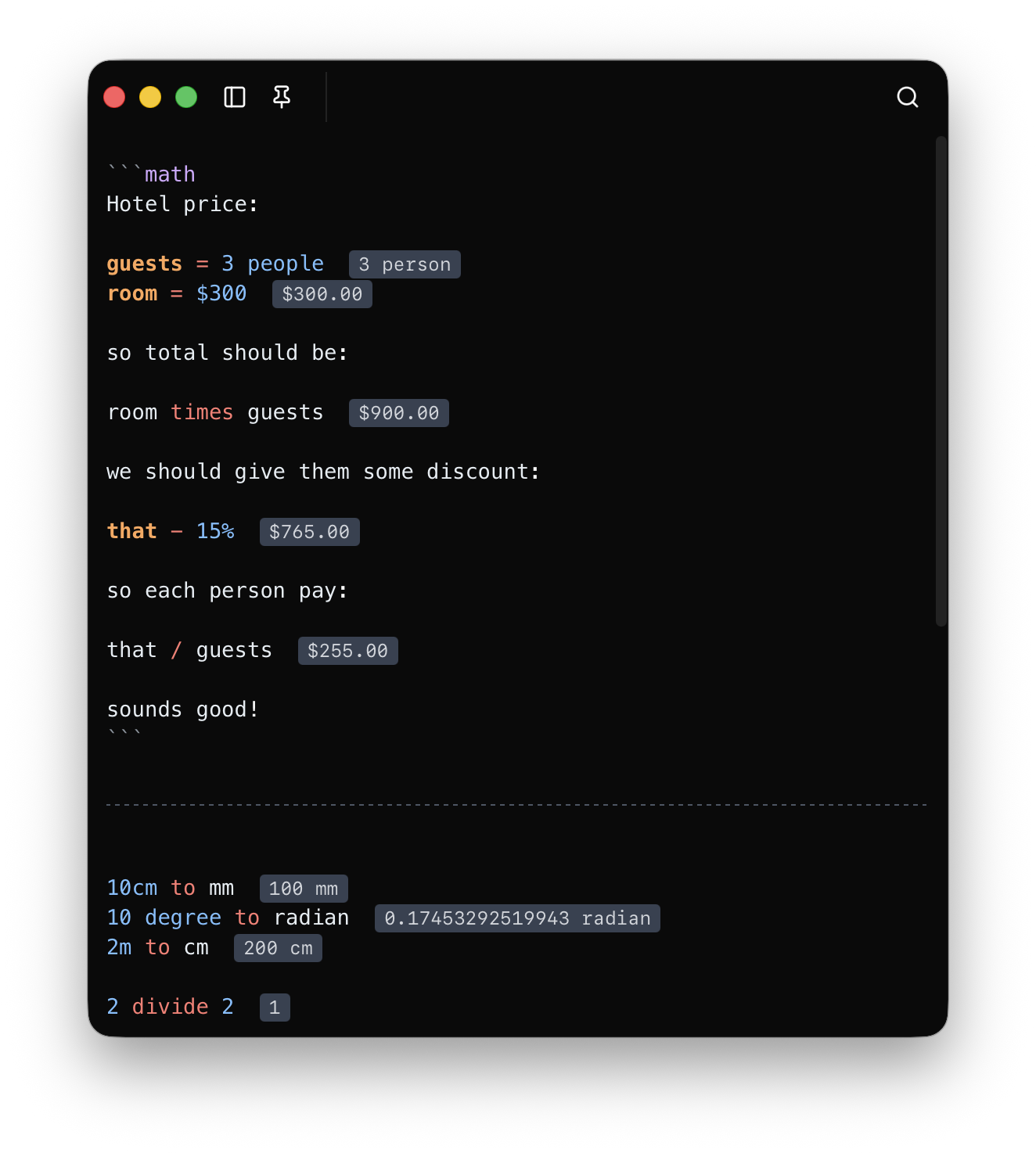
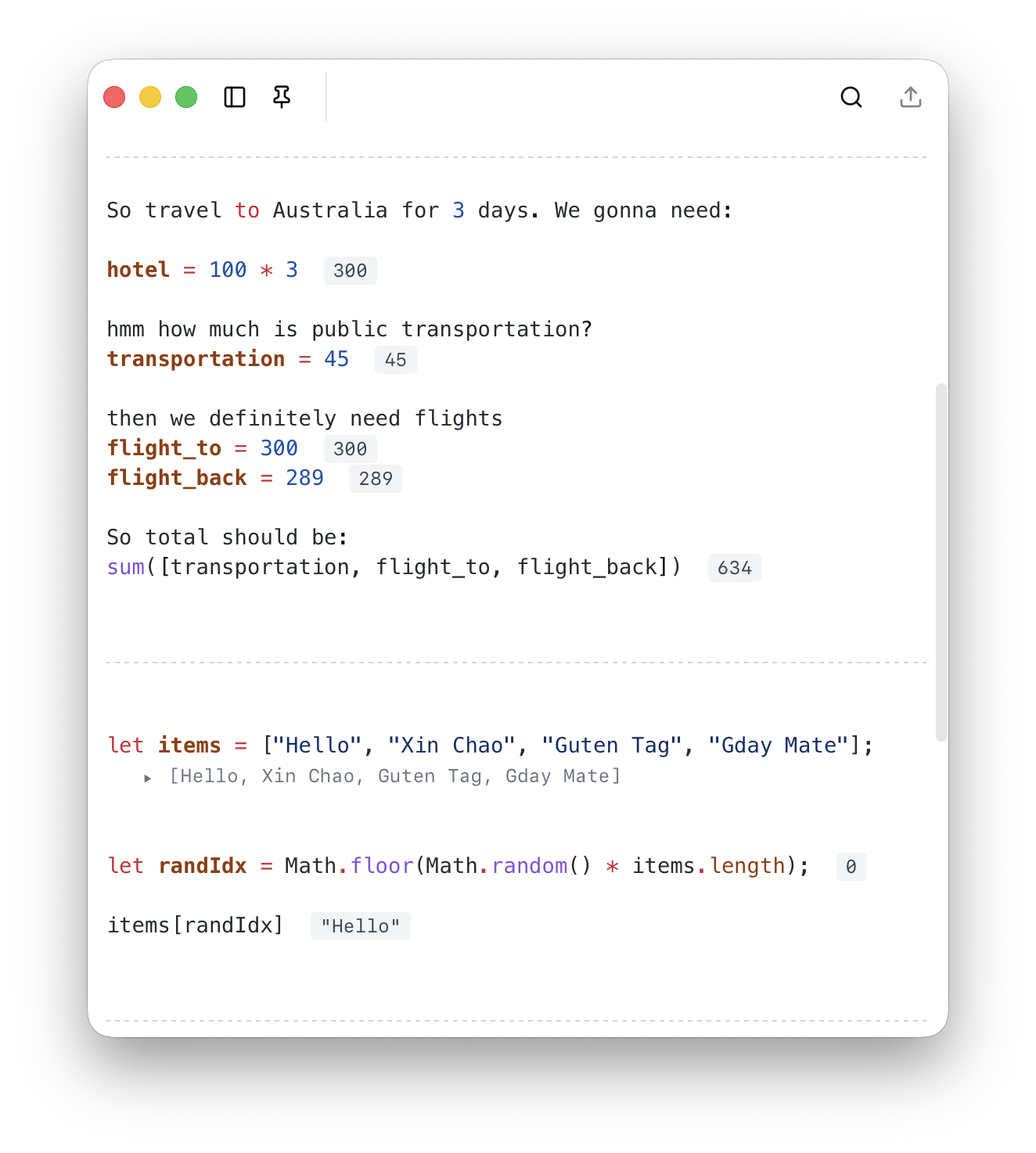
Do calculations right in your notes. No need to switch to a calculator app – just type your math expressions and see results instantly.
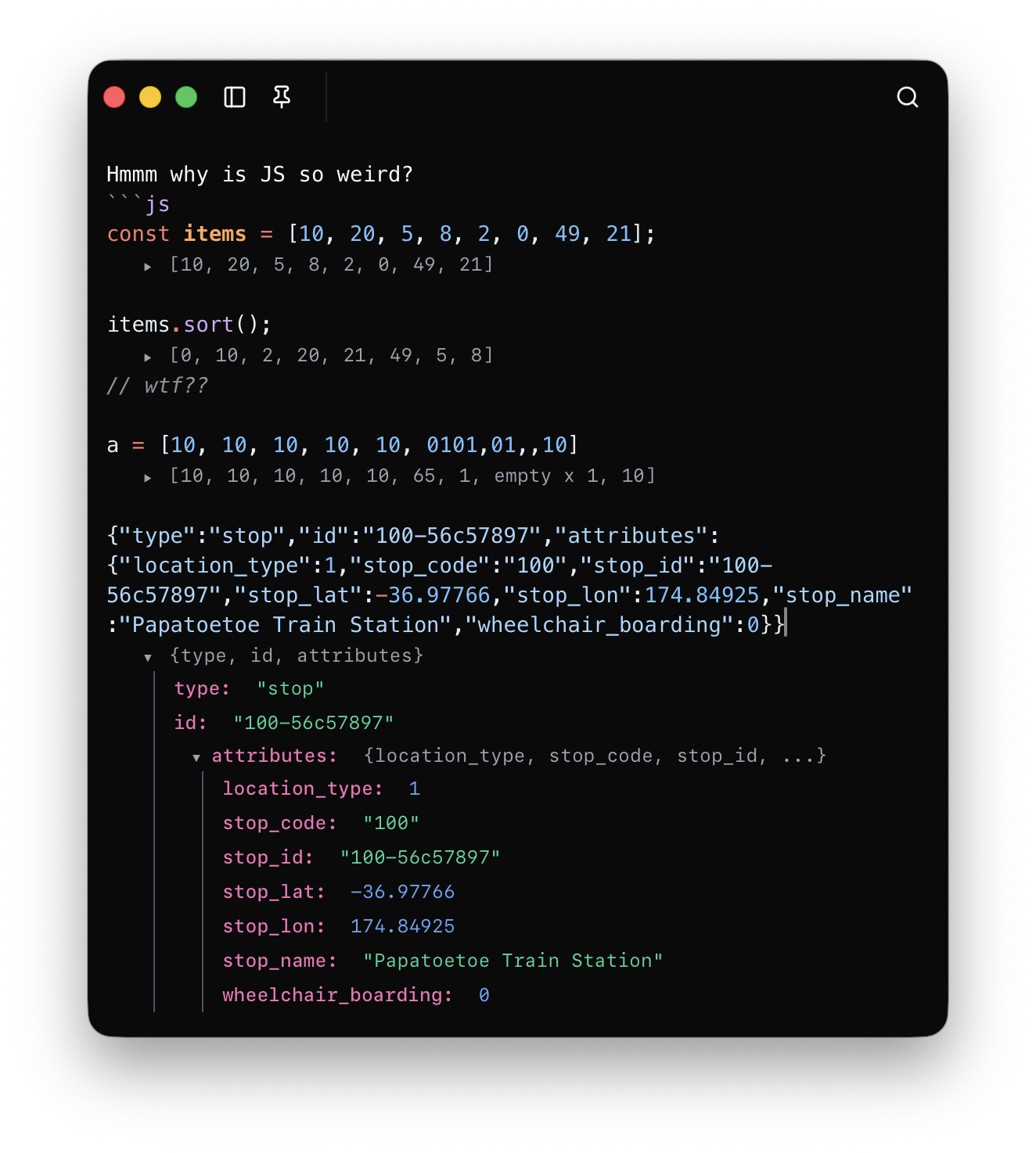
Run JavaScript code snippets directly in your notes. Perfect for quick experiments, testing ideas, or learning to code.
Kari comes with dark & light theme built-in and can adapt to system theme too!
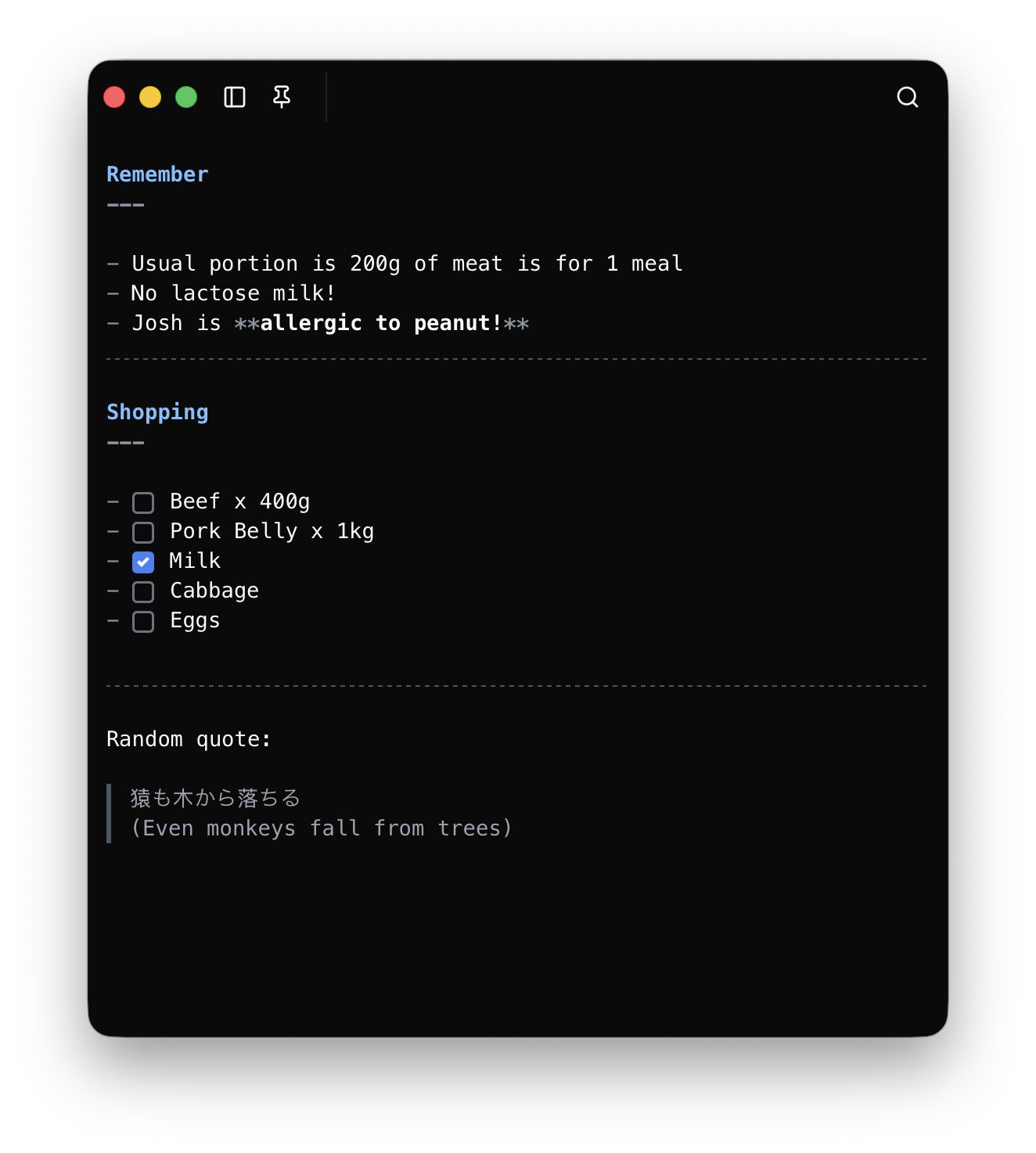
Capture your thoughts instantly. Whether it's a quick note, a to-do list, or a random idea that pops into your head – Kari makes it effortless to jot it down.
Do calculations right in your notes. No need to switch to a calculator app – just type your math expressions and see results instantly.
Run JavaScript code snippets directly in your notes. Perfect for quick experiments, testing ideas, or learning to code.
Kari comes with dark & light theme built-in and can adapt to system theme too!
The entire scratchpad is a massive markdown document with better rendering.
Do simple maths with built-in math functions and constants.
Math block in Kari can also perform conversion like length conversion, speed conversion, etc.
Inspectable JavaScript objects right in your notes. No more openning Chrome DevTools on a random page!
Separation of scratchpads give you more freedom to store your notes.
Export your notes as markdown files, text files or into Apple Notes and Obsidian.
In docking mode, Kari will dock to the side of the screen and only appear when you mouse near it.
Start free. Upgrade for extras.
$0
$10
Frequently asked questions
Yes! The free plan gives you lifetime access with up to 4 scratchpads, maths calculation, JavaScript execution, beautiful markdown, and file exports.
Once you purchase the premium plan, you own it forever. There are no recurring subscriptions. You get one year of updates included, and the app continues to work after that.
After one year, Kari will continue to work with full set of premium features. However, you won't receive any further updates. To continue receiving updates, you can refresh your license at half-price.
Absolutely. Kari is a native macOS app that runs entirely on your machine. No internet connection is required to use any of its features.
Docking Mode lets you pin Kari to the side of your screen so it stays visible alongside other apps. It's perfect for jotting down quick notes while working.
With the premium plan, you can send your scratchpad content directly to Apple Notes or Obsidian with a single click. Your formatting is preserved during the export.